A Pomodoro timer that stays out of your way — a glass pie-clock that lives in your menu bar and your pocket, filling as you work.
A calm, focused timer built around the Pomodoro Technique.
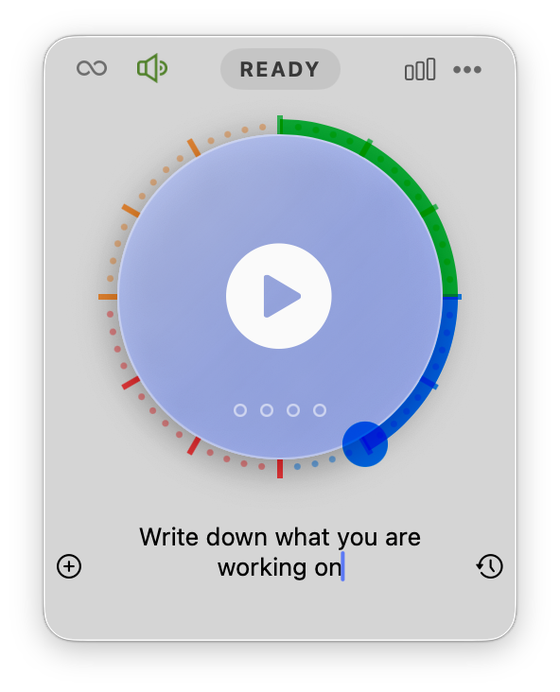
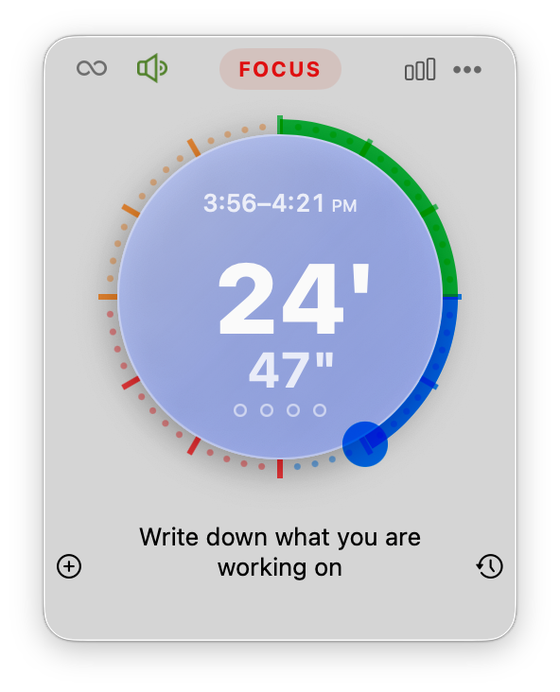
A live pie-clock counts down beside your clock. One click to start, pause, or stop — no window to manage.
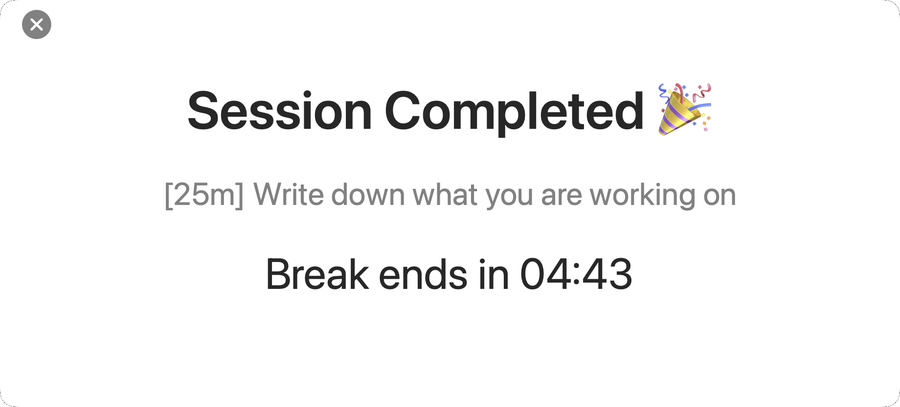
Automatic breaks with their own dial, and a longer break every fourth session. Auto-start if you like momentum.
Drag the knob to set your length — or change it mid-session. Pause up to five minutes without losing your streak.
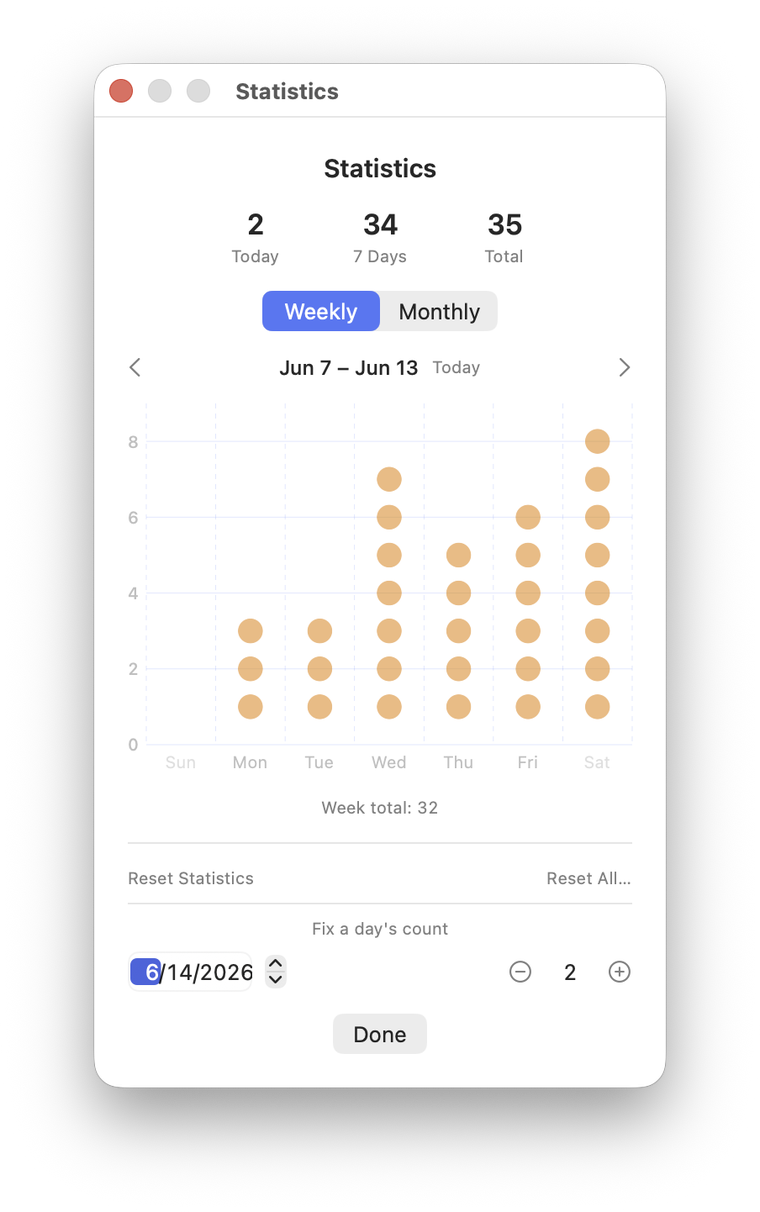
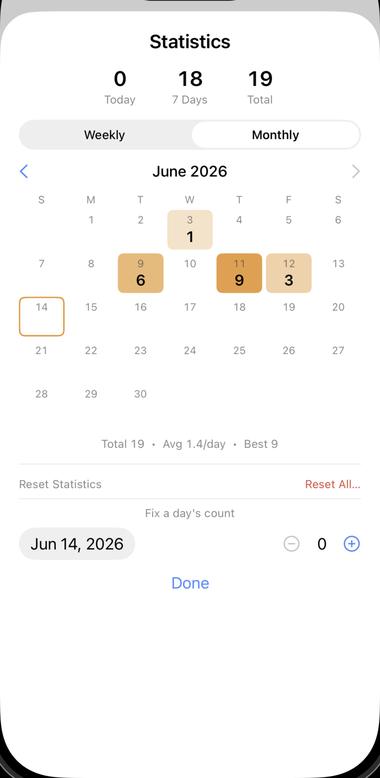
A daily timeline, weekly charts, and a monthly heat-map calendar that deepens to orange on your most focused days.
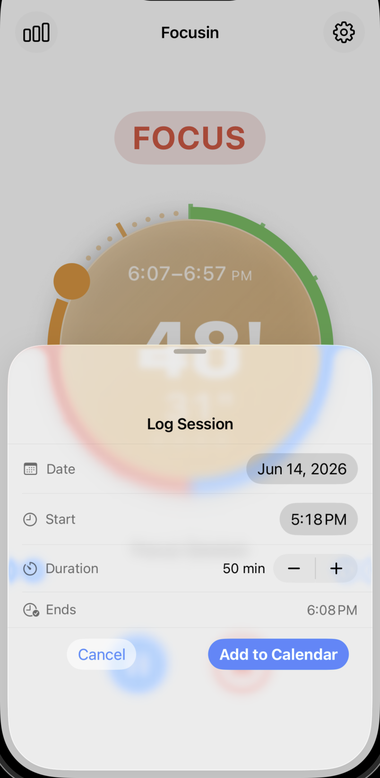
Completed sessions are written to your calendar automatically. Missed one? Log it for any date and time in two clicks.
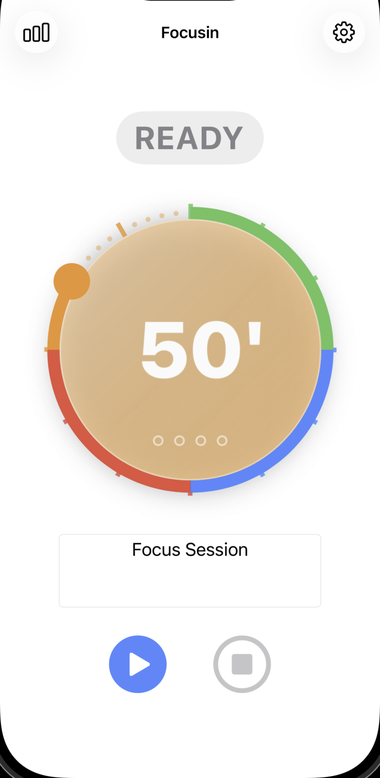
Start on your Mac, watch it tick on iPhone and Apple Watch. Pause anywhere — the task and progress follow you.
A glass clock face that opens with a click — set, start, and focus.
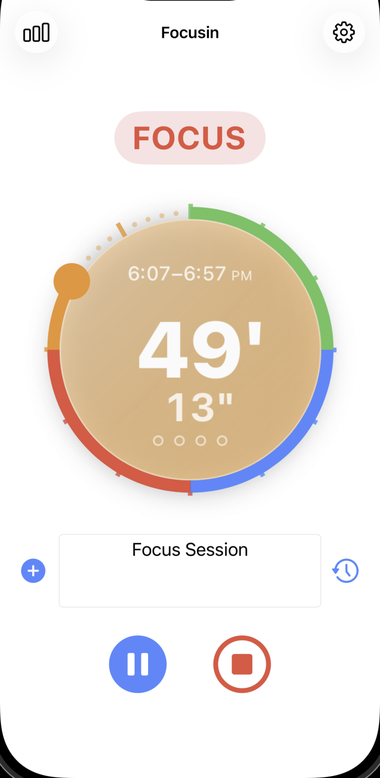
The same calm timer in your pocket, with background-safe alerts.
Free to use. Unlock sync, statistics, and calendar logging with Focusin Pro.
A small tip jar is there if Focusin earns a place in your day. ♥
A $2.99 Mac app — a one-time purchase, no account, no subscription.
The full menu-bar Pomodoro timer, task naming, and sounds — plus task history and calendar logging (automatic and manual) built right in. One-time purchase, no subscriptions.
Get Focusin LiteChoose Focusin Pro when you want iCloud sync across Mac, iPhone & Apple Watch and statistics — the daily timeline, weekly charts, and monthly heat map.
See Pro pricingQuestions, bugs, or ideas? We're a quick email away — usually a reply within one to two days.
Focusin lives in the menu bar, not the Dock. Look for the pie-clock icon next to your clock at the top-right.
Open the Pro screen and choose "Restore Purchases" — your Pro unlock or lifetime purchase follows your Apple Account.
Turn on "Sync to Calendar" in Settings, grant Calendar access when prompted, then pick which calendar to write to.
Use the same iCloud account and keep "Sync Across Devices (iCloud)" on. Sync is a Pro feature; Focusin Lite is local-only.
Subscriptions are handled by Apple: System Settings → your name → Media & Purchases → Subscriptions.
Focusin is built to stay out of your way — including out of your data.
Focusin does not collect, sell, or share your personal information. Your tasks, session history, statistics, and settings stay on your device.
If you turn on iCloud sync, your data is stored in your own private iCloud account and synced by Apple across your devices — we never see it. If you turn on calendar logging, completed sessions are written only to a calendar you choose. Purchases are processed entirely by Apple, so we never receive your payment details.